


How do you know if the printer drum needs replacing?
Has your laser printer started producing pages with strange lines or faded print even though the toner cartridge is brand new? 🤔
Before you rush to buy a new toner cartridge or call for maintenance, there is a very important question you should ask yourself: Is the problem with the ink or the printer drum?
The printer drum unit is one of the most misunderstood parts of laser printers, yet it has the greatest impact on print quality. In this article, we'll reveal seven sure signs that your printer drum is screaming for replacement—and how to distinguish between a drum problem and a toner problem so you don't waste money.
First: What is a printer drum and what is its role? 🖨️
Before discussing signs of damage, it is important to understand the role of the drum in the laser printing process.
The drum is the cylindrical part inside a laser printer, usually green or blue. It works by using electrostatic charge to attract toner particles from the cartridge and transfer them onto the paper to form text or images.
The key difference you need to know: the drum doesn't contain ink—the ink is in the toner cartridge. The drum is the bridge that transfers the ink to the paper. Without a working drum, even if you fill the toner cartridge, you won't get good prints.
The lifespan of a drum typically ranges from 10,000 to 50,000 printed pages, depending on the printer model and the quality of the drum unit itself. Rank Tracker
The first sign 🟡 — horizontal lines that repeat in the same place
If you notice lines appearing repeatedly in the exact same position on every page you print, this is a classic sign of drum failure. Firstmarkets
What happens here is that there is a scratch or damage at a certain point on the surface of the drum, and since the drum rotates periodically with each page, this scratch appears in the same position each time.
How can you tell? First, change the ink cartridge. If the lines persist in the same place after changing it, the problem is definitely with the drum, not the ink.
The second sign 🔲 — black spots or random ink pools
If random black spots appear on printed pages, this indicates that the drum is damaged and can no longer function properly. (Google)
The stains could be caused by several factors, including a leaking toner cartridge or a damaged drum. The easiest way to distinguish between the two is to replace the toner cartridge and clean the inside of the printer. If the stains persist afterward, the problem is most likely with the drum. Firstmarkets
Spots are different from lines — lines are regular and repetitive, while spots are random and appear in different places.
The third sign 🌫️ — pale print even though the ink is full
This is one of the most frustrating situations for printer owners. You insert a new ink cartridge and start printing—but the result is pale and faded, as if the ink is about to run out! 😤
The drum's role is to hold the toner and transfer it accurately to the paper. When the drum begins to wear out, it can no longer hold the toner properly, resulting in pale and blurry prints.
So the problem isn't the quantity of ink, but the drum's inability to transfer it. Replacing the ink in this case is a waste of money—the real solution is the drum.
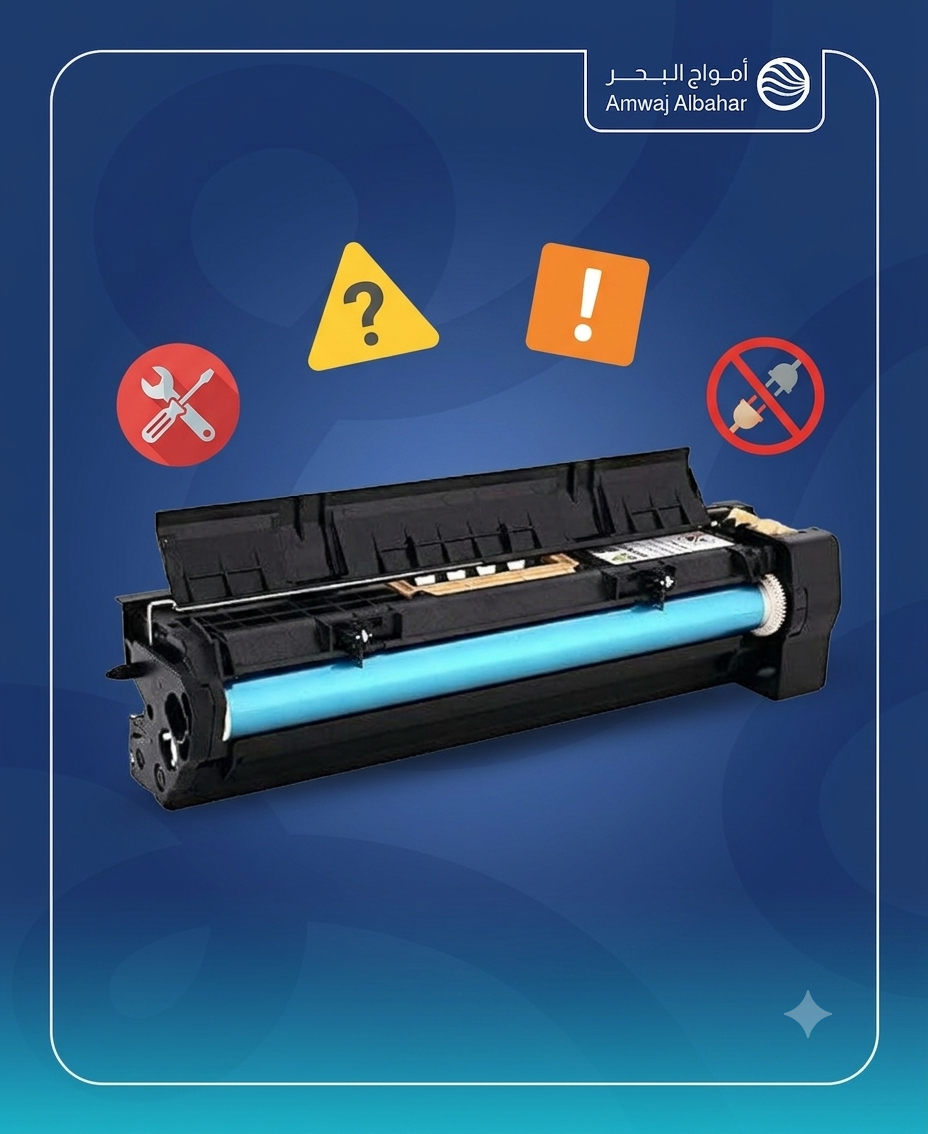
The fourth warning sign ⚠️ — a warning message on the printer screen
Many laser printers have a drum unit counter that tracks the number of pages printed. When the counter reaches a certain limit, the printer sends an alert prompting you to replace the drum. Rank Tracker
If you see a message like "Replace Drum Unit" or a warning light appears, do not ignore this warning. Continuing to use an expired drum will degrade print quality and may damage the printer's internal components. Yoast
This message is different from the low ink message — be sure to read the message carefully to see if it is talking about toner or drum.
The fifth sign 👻 — the appearance of "ghost images" or double printing
This feature is somewhat unusual but very clear. Notice that each printed page has a faint image of a previously printed page in the background.
This phenomenon is called "ghosting" and occurs when the drum fails to fully discharge its electrostatic charge after each print cycle. As a result, residual ink from the previous page transfers to the new page.
Another sign of a failing drum is a faint background on printed pages; this is an early indication that the drum is wearing out but not yet completely dead. MySiteAuditor
The sixth sign 📄 — completely blank white pages
When the drum fails completely, it begins producing entirely blank printed pages. Initially, there may be spots or white areas, but when the drum fails completely, the page is entirely white with no ink.
If you have reached this stage, you have passed the warning stage — the drum needs urgent replacement.
Important note: A blank page can also be caused by an empty ink cartridge. Start by checking the ink level first.
Seventh mark 🔢 — The printer printed more than 12,000 pages
For example, Brother printers typically have drums that last between 12,000 and 15,000 pages, depending on the model. Generally, drum life ranges from 10,000 pages in budget printers to 50,000 pages in professional printers. (Google)
If your printer has been in intensive use in your office for a long time, and you've noticed any decline in print quality — it may be time for a preventative replacement even before obvious symptoms appear.
How do you know the number of pages? Most printers allow you to print a report page that shows the page counter through the printer settings.
Printer drum or ink cartridge? How to tell the difference before buying 🔍
This table saves you a lot of confusion:
The problem: lines in the same place on every page
Most likely → Drum
The problem: The print is pale, and I changed the ink but nothing improved.
Most likely → Drum
Problem: Random black spots on the pages
Most likely → Check the ink first, if the Valdram persists
Problem: Ghost images in the background
Most likely → Drum
Problem: "Replace Drum" message on screen
Most likely → Drama definitely
Problem: Faded print, improved after changing the ink.
The most likely scenario → was an ink problem, not a drama
How to extend the life of your printer drum? 🛡️
A good drum starts with the right ink. Using low-quality paper leaves dust that accumulates on the drum and damages it. Here are some practical tips: Google
First: Use reliable, high-quality ink—poor-quality ink leaks inside the printer, contaminates the drum, and accelerates its deterioration. AWD ink from Amwaj Al-Bahr store is manufactured to specifications that ensure the safety of your printer's components, including the drum.
Second: Do not expose the drum to direct light when changing the cartridge — light causes permanent damage to the sensitive surface of the drum.
Third: Clean the inside of the printer periodically with compressed air to prevent the accumulation of dust and flying ink.
Fourth: Avoid printing in very large quantities without stopping — high temperatures accelerate drum wear.
Can I replace the drum myself? 🔧
Yes, it's easier than you think. You can replace your printer drum in less than 10 minutes. Simply open the printer's front cover, remove the drum and toner assembly, detach the old toner cartridge from the old drum and install it in the new drum, then reinstall the assembly in the printer.
Important note: After replacing the drum, don't forget to reset the drum counter from the printer settings so that the warning message stops and the calculation process starts again.
Where can you find your printer drum and supplies in Saudi Arabia? 📦
If you are in Medina or Riyadh, you can visit the Amwaj Al-Bahr store to get:
Original and replacement laser toner cartridges for all brands (HP, Canon, Brother, Epson, Xerox)
Reliable and economical AWD ink that won't damage your printer's components
Expert advice to ensure you choose the right product for your printer model
📍 Store branches in Madinah (Al Wabrah district) and Riyadh (Al Washm district) — with fast shipping to all cities in the Kingdom via amwajest.com/ar
Summary 🎯
The printer drum isn't just an ordinary spare part—it's the heart of your laser printer. Here are 7 signs that tell you it's time for replacement:
1 — Horizontal lines in the same place on every page 🟡
2 — Random black spots on prints 🔲
3 — Faded print even though the ink is new 🌫️
4 — "Replace Drum" warning message on screen ⚠️
5 — "Ghost images" appearing in the background of pages 👻
6 — Completely blank white pages 📄
7 — The printer has exceeded its lifespan in terms of the number of pages. 🔢
Don't ignore these signs—continuing to print with a damaged drum can cause much more costly damage to other printer components. Timely replacement saves your printer and your money.

Frequently Asked Questions ❓
Q: What is the difference between a printer drum and a toner cartridge ?
A: The toner cartridge contains the toner powder, while the drum is the cylindrical part that transfers this toner from the cartridge to the paper via electrostatic charge. The drum does not contain toner, and in some printers (especially Brother), the drum and toner cartridge are separate parts that can be replaced independently.
Q: Do I need to replace the ink cartridge when replacing the drum?
A: No, you don't need to replace the toner cartridge when changing the drum. You can simply remove the toner from the old drum and install it in the new drum, making sure it's properly secured.
Q: How long does a printer drum usually last?
A: Most drum units have a lifespan of between 25,000 and 50,000 pages, but this varies depending on the printer model and the quality of the drum unit itself. Heavy daily use and the quality of the toner used directly affect the actual lifespan. MySiteAuditor
Q: Are the lines on the pages always due to the drum?
A: Lines that appear in the exact same position on every page are the strongest indicator of a drum problem. Lines that vary in position may be due to a dirty printhead or a problem with the fuser unit. The simple solution: replace the toner first, and if the lines persist in the same place, then the drum is the culprit. Firstmarkets
Q: Can the drum be cleaned instead of being replaced?
A: Cleaning can be a temporary solution for light dusting, but it doesn't address scratches or physical wear. If stains and streaks persist after cleaning the drum, it's time to replace it. Cleaning should be done with a soft, lint-free cloth and with extreme care to avoid damaging the delicate surface.
Q: Where can I find a reliable replacement drum or ink in the Kingdom?
A: Amwaj Al-Bahr Store specializes in providing printer ink cartridges in Medina and Riyadh, offering replacement cartridges and fast shipping to all cities in the Kingdom. You can contact the store team to find the right product for your specific printer model.
Have you noticed any of these signs in your printer? Share your experience in the comments, and feel free to contact Amwaj Al Bahr store for appropriate advice.