
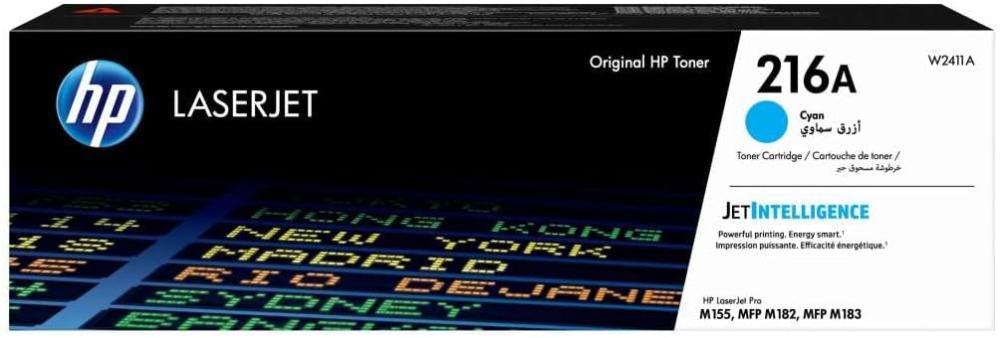

HP W2411A (216A) Blue Laser Printer Toner — Vibrant Colors & Professional Quality 🖨️
Get crisp, vibrant prints with the original HP W2411A (216A) ink cartridge. Designed to deliver consistent color and high resolution in brochures, posters, marketing materials, and color documents that require a strong visual impact. 🎨✨
Basic specifications ⚙️
- Type: Original Blue Laser Toner (Blue Toner).
- Model/Code: HP W2412A/216A.
- Approximate yield: Up to ~850 pages based on 5% coverage (may vary depending on print settings and paper type).
- Designed for small business and office color laser printers.
Compatible printers ✅
The cartridge is compatible with HP Color LaserJet Pro series printers that use 216A series cartridges, and some common models include:
- HP Color LaserJet Pro M182 (some versions such as M182n / M182nw)
- HP Color LaserJet Pro M183 (including M183fw/M183fn)
- Some models in the HP Color LaserJet Pro M155 series are designed for small offices.
Note: Always check the W2412A/216A cartridge number in your printer's manual or settings before purchasing to ensure full compatibility.
Product Features — Why Choose It? 💡🏆
- Bright and vibrant colors enhance the impact of marketing materials and brochures.
- Genuine HP quality ensures color accuracy and protects printer components from problems caused by incompatible products.
- A practical and economical return that reduces the frequency of purchases and lowers the operating cost per page.
- Easy replacement and installation without complications — a cartridge ready for direct installation.
- Support and sustainability with cartridge recycling through HP's environmental programs. ♻️
Quick steps to replace your toner cartridge 🔧
- Turn off the printer and open the access cover — disconnect the power supply and carefully open the cartridge cover.
- Remove the old cartridge and insert the new W2412A — Pull out the empty cartridge, remove the packaging from the new cartridge, and insert it until it clicks into place.
- Close the cover and print a test page — turn on the printer and print a page to check the color consistency and print quality.
Tips for maintaining excellent performance 🌟
- Use genuine ink to reduce the risk of printhead clogging and ensure a longer printer lifespan.
- If using alternative inks, ensure the supplier's warranty and the ink's quality. With AWD inks, we guarantee the ink's safety from manufacturing defects and the safety of your AWD 216A printer.
- Print a test page after each replacement to ensure color balance.
- Store the cartridges in a cool, dry place away from direct sunlight.
Call to action — Add a touch of brilliance to your products now! 🛒✨
Order genuine HP W2411A (216A) ink today and enjoy vibrant yellow tones and professional print quality with every copy. Order now and elevate your output to an eye-catching level! 🟡🖨️🛍️
For more products: