
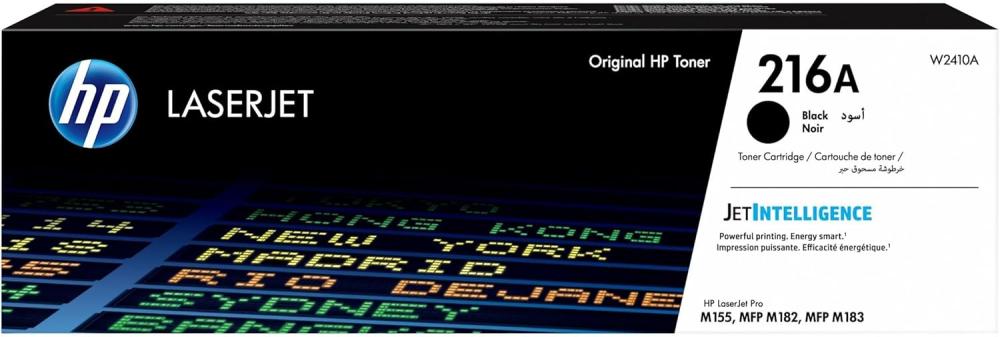

HP W2410A (216A) Black Laser Printer Toner — Professional quality on every page 🖨️🖤
Get crisp, clear black prints with the original HP W2410A (216A) ink cartridge . Ideal for official documents, contracts, invoices, and presentations that need a professional look reflecting your seriousness and credibility. Every page is printed with precision and deep black tones, giving your documents sharp contrast and comfortable readability. ✨📄
Key specifications and performance — Reliable and economical printing ⚙️📈
- Type: Genuine HP black laser printer toner.
- Cartridge code: W2410A / 216A .
- Approximate yield: Up to 1,050 pages based on 5% coverage (may vary depending on print settings and document type).
- It ensures deep blacks, sharp lines, and easily readable text — suitable for office and everyday use. ✔️
Compatible printers — a detailed list to help you choose ✅
The cartridge is compatible with many HP printers of the same category.
- The HP Color LaserJet Pro M182 series — small and medium-sized office printers focused on performance and speed.
- HP Color LaserJet Pro M183 Series — Multifunction printers commonly used in offices that support duplex printing and network connectivity.
- Some models in the HP Color LaserJet Pro M155 series are suitable for home users and small offices.
Why choose HP W2410A (216A) ink cartridge ? 💡🏆
- Professional results from the first page : Clearer text and a professional look that enhances your company's image.
- Economical and high-yield : Up to 1,050 pages reduce redundancy and lower the operating cost per page.
- Safety and calculated quality : Original ink protects the printer head and reduces compatibility issues and technical errors.
- Easy installation and official support : Original cartridge with installation instructions, support and recycling programs from HP.
- An environmentally friendly solution : The cartridge can be recycled as part of HP's waste reduction program. ♻️
Quick Installation Method — Simple Steps to Get Started 🔧🕒
- Turn off the printer and open the cartridge cover.
- Remove the old cartridge by gently pulling it out.
- Remove the W2410A (216A) cartridge from the packaging and take care to remove any protective tapes, if present.
- Insert the cartridge into the designated slot until it is securely in place.
- Close the cover and turn on the printer — print a test page to ensure the black is clear. ✅
Give your printer the quality it deserves now! 🛒🔥
Add HP W2410A (216A) Sea Waves ink cartridges to your cart and get professional printing, economical returns, and HP confidence on every page. Don't let the quality of your documents diminish your business's impression— order now and enjoy fast, clean, and reliable printing. ✨🖨️🛍️
For more products: