
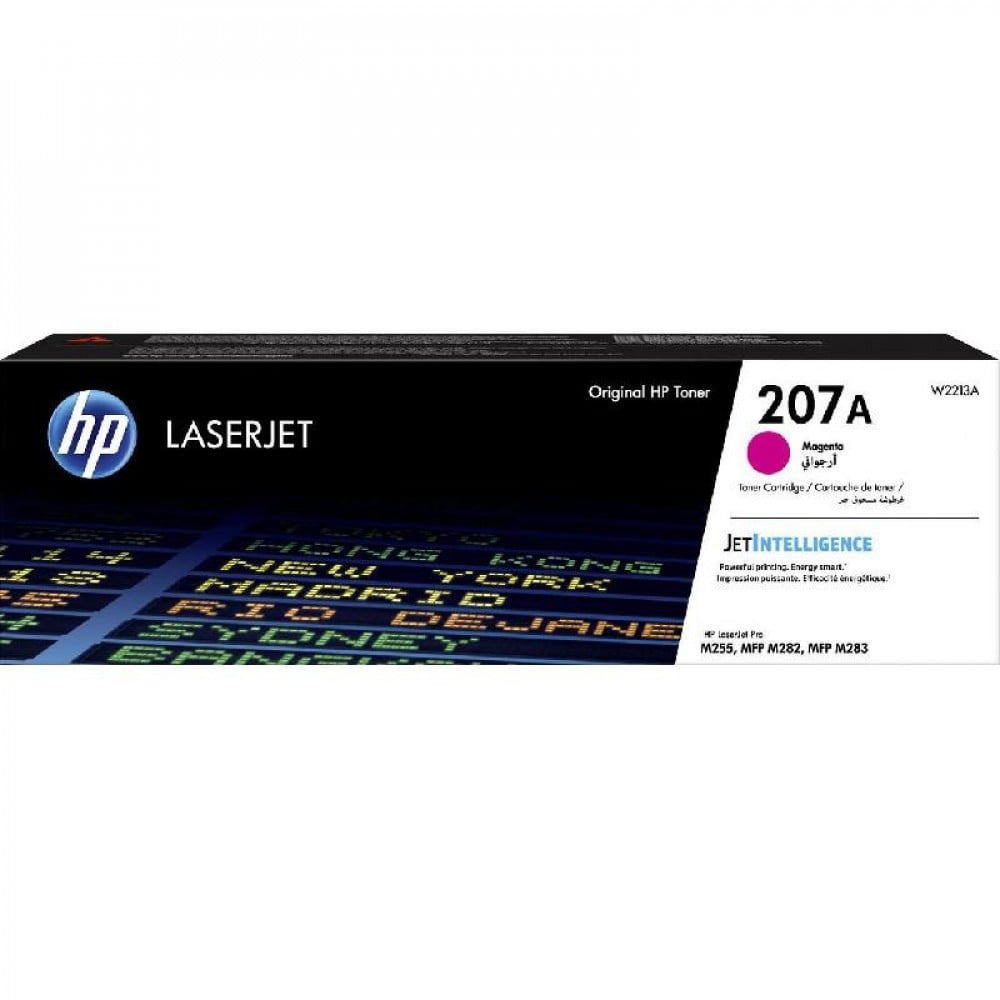

HP 207A Ink Cartridge — Original Magenta Red 🟥🖨️
Elevate your color printing with HP 207A red ink, designed to deliver vibrant magenta colors, accurate gradients, and professional results on every page. It's the ideal choice for presentations, brochures, and marketing materials that require eye-catching colors and consistent print quality across multiple batches.
What is 207A ink? 🎯
- Product: Original HP LaserJet Toner Model 207A (Red/Magenta).
- Key benefit: Pure magenta shades and color consistency ensure a professional look for both commercial and personal prints.
- Suitable for: Home users, small and medium-sized offices, and printing shops that require consistent print quality.
- The approximate page yield is around 1,250 pages at a 5% coverage standard according to HP specifications.
Why choose it? ✅
- Vibrant and precise colors highlight the designs and images.
- Durability and original manufacturing quality provide consistent results and reduce the risk of malfunctions when used with compatible HP printers.
- Easy and intuitive installation that does not require advanced technical expertise.
- Reliable performance while maintaining the integrity of the printer components when used correctly.
Printers compatible with ink 🔍
- Designed to work in harmony with HP Color LaserJet Pro printers compatible with the 207A cartridge class.
HP Color LaserJet Pro M255 Series
- HP Color LaserJet Pro M255dw
- HP Color LaserJet Pro M255nw
- (Other M255 models are in the same family).
HP Color LaserJet Pro MFP M282 Series (Multifunction Printers)
- HP Color LaserJet Pro MFP M282nw
- HP Color LaserJet Pro MFP M282n (Network/Basic versions within the same category).
HP Color LaserJet Pro MFP M283 Series (Advanced Multifunction Printers)
- HP Color LaserJet Pro MFP M283fdw
- HP Color LaserJet Pro MFP M283fdn
- HP Color LaserJet Pro MFP M283 (comparable versions)
Quick Installation Guide — 3 Steps 🛠️
- For safety, turn off the printer and disconnect the power.
- Open the cartridge compartment and gently remove the old cartridge.
- Remove the new HP 207A cartridge from the packaging, remove any protective tapes, and insert it until it is secure — close the chamber, turn on the printer, and then print a test page.
Tips for maintaining peak performance 🧰
- Store the cartridge in a dry place, away from direct heat and sunlight.
- Avoid touching the drum or sensitive parts inside the cartridge.
- Print a calibration page after installation to ensure color balance.
- If you notice lines or color variations, perform printer cleaning or calibration from the maintenance menu.
Order your HP 207A red ink cartridge now! 🛒
Add HP 207A Red (Original) Ink to your cart at Sea Waves and enjoy pure magenta colors, consistent performance, and protection for your printer. Order now and enjoy professional prints from the first page!
Click here for more colors of 207A ink
Click here to visit the alternative to the original ink cartridge for the 207A cartridge.